Microsoft officially retired Visual Studio for Mac on August 31, 2024. Now, the company recommends .NET MAUI developers use Visual Studio Code with a set of extensions.
In this blog post, we’ll walk through the basic setup to get started.
After Aug 31, 2024 Visual Studio for Mac will no longer be supported or maintained after August 31, 2024. Visual Studio for Mac will still be available as a legacy installation only via my.visualstudio.com for users with Visual Studio subscriptions.
Steps:
1. Install Visual Studio Code for Mac. Link
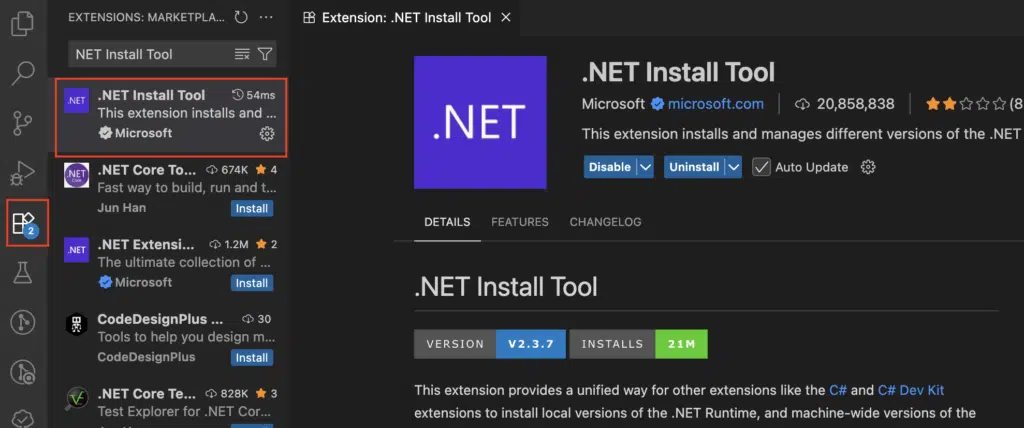
2. Install the VS Code extensions:
- .NET MAUI extension: link

- .NET Install Tool extension: link
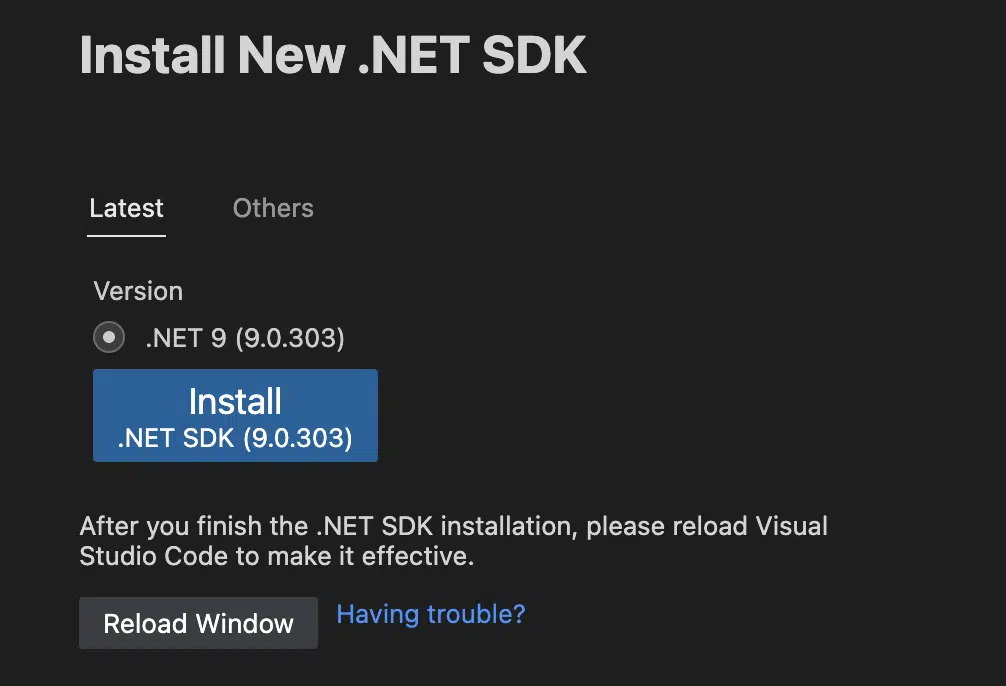
3. Click on Search and type “>”. Select Install New .NET SDK

4. Install the latest SDK (.NET 9)
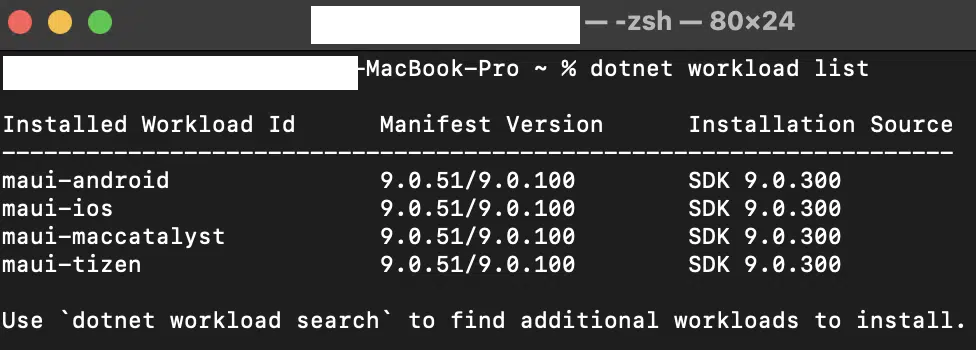
5. Open terminal and verify SDK.
Run dotnet workload list and it will show the following:
6. (Optional) Install the SDK using terminal
- Run sudo dotnet workload install maui-android
- Run sudo dotnet workload install maui-ios
- Run sudo dotnet workload install maui-maccatalyst
- Run sudo dotnet workload install maui-tizen
7. Install Android Studio: link
8. Install Xcode: link
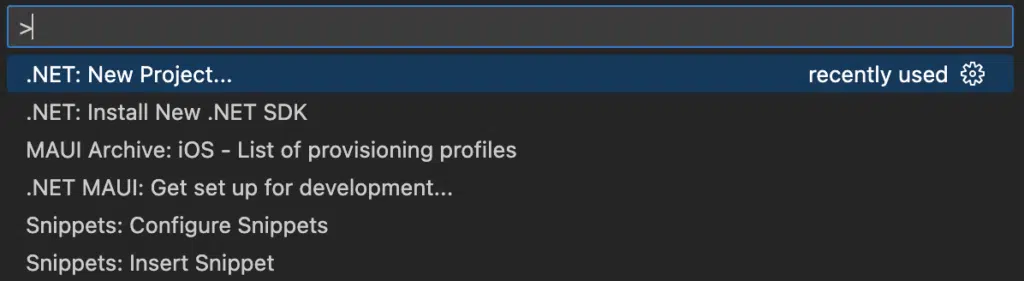
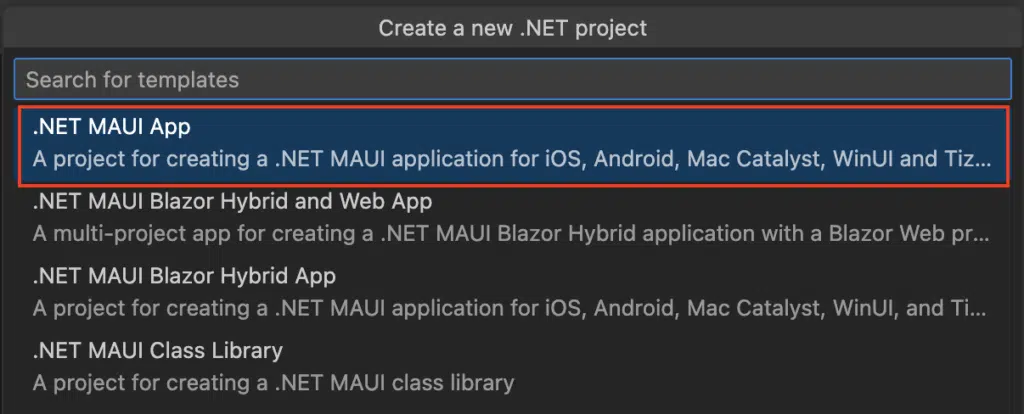
9. Click on Search and type “>”. Select .NET: New Project and then
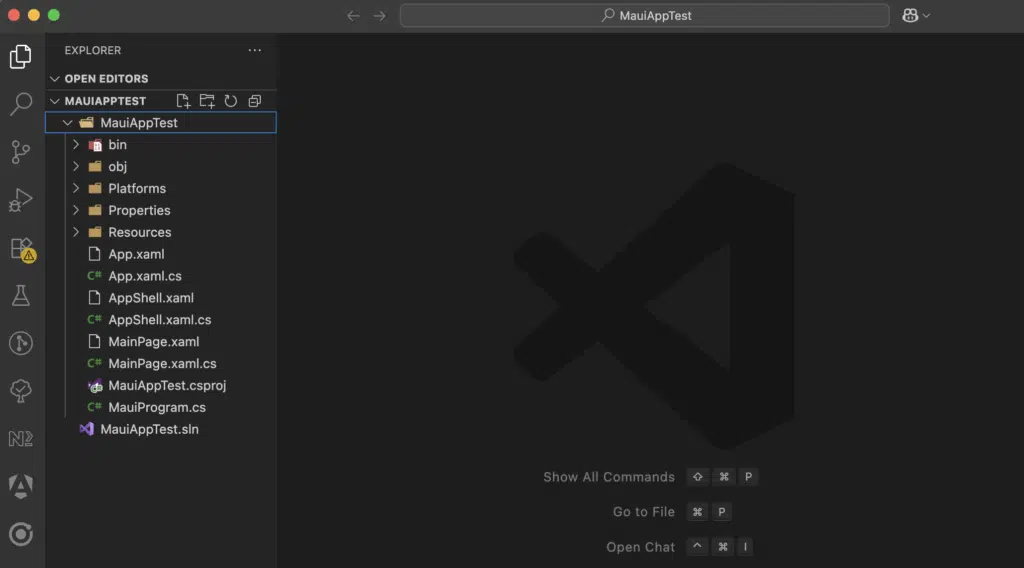
10. Select the Location and set the project name:
11. Run project on Emulator (Android)
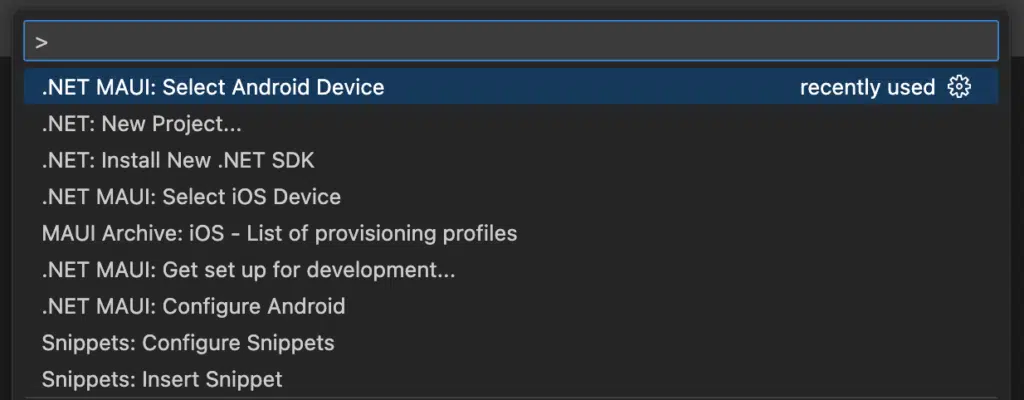
11.1. Click on Search and type “>”. Select .NET: New Project and then .NET MAUI: Select Android Device
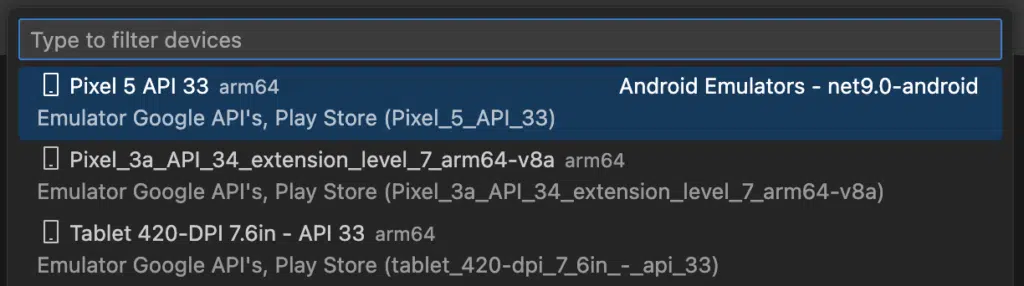
11.2. Select the emulator
11.3. Select Run and Debug
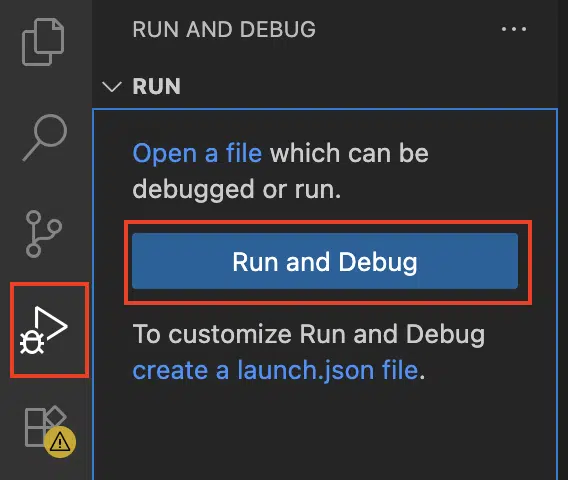
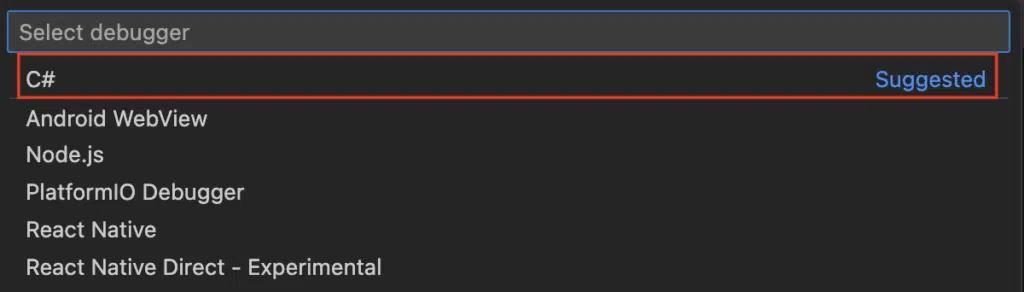
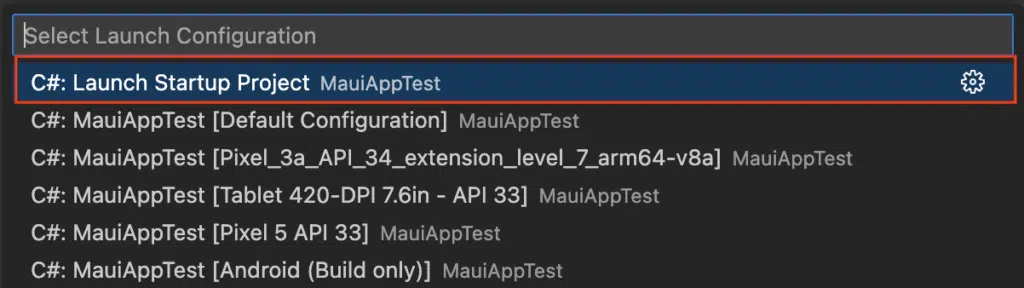
11.4. Select C# and then Launch Startup Project

12. Run project on Simulator (iOS)
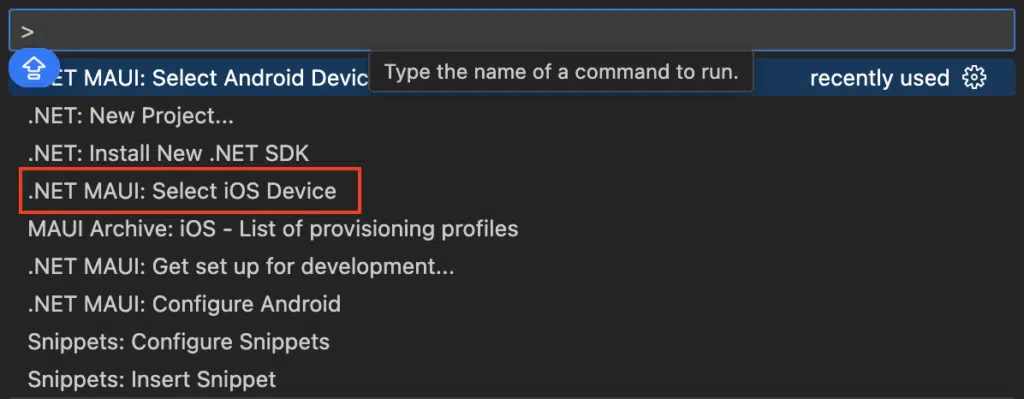
12.1. Click on Search and type “>”. Select .NET: New Project and then .NET MAUI: Select iOS Device
12.2. Select the simulator
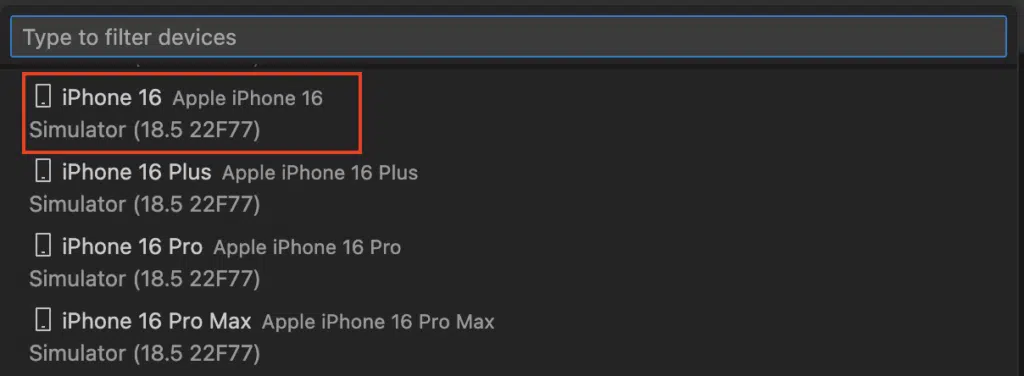
12.3. Select Run and Debug
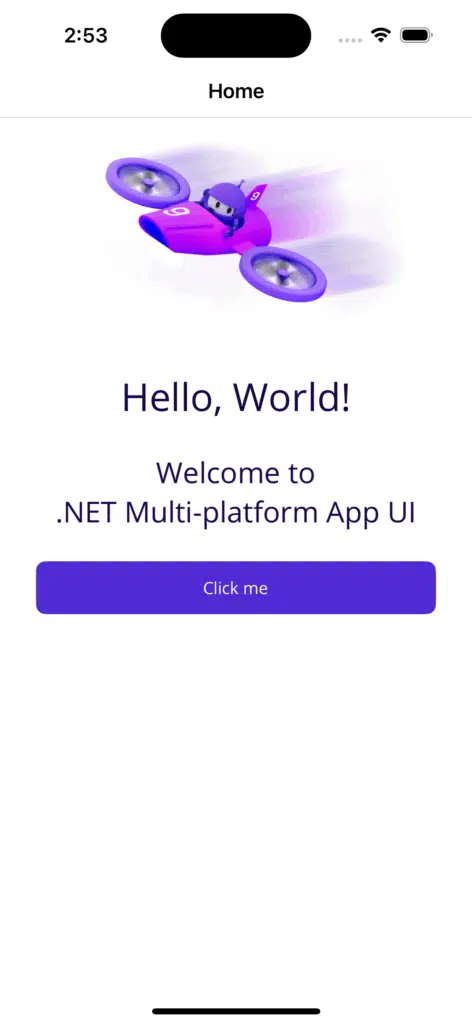
12.4. Select C# and then Launch Startup Project
Conclusion
With Visual Studio for Mac now retired, moving to VS Code is not just a workaround, it’s the new standard for .NET MAUI development on macOS. Thanks to the available extensions and a lightweight setup, VS Code offers a smooth and efficient experience.
If you’re just getting started, this setup will keep you up to speed and ready for the future of cross-platform development.
References
- .NET MAUI installation: link