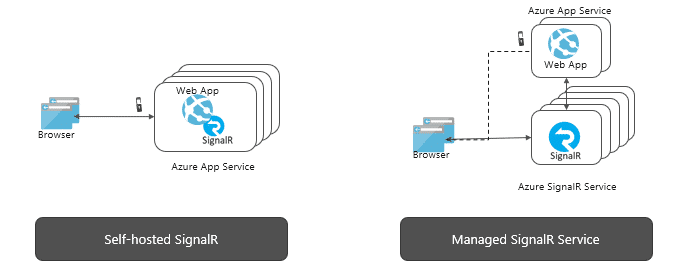
Blazor and MudBlazor make it easier than ever to build modern, interactive web applications entirely in C#.
In this blog, I’ll teach you how to set up a .NET Blazor project with MudBlazor, scaffold a server-paged data grid, and wire it up to a minimal API—so you can start building fully functional, Material Design-powered apps without leaving C#.
What is Blazor?
Blazor is the ASP.NET Core UI framework that lets you build interactive web apps almost entirely in C# and Razor. You write components once, then choose a hosting model that suits the job: client-side WebAssembly, server-side SignalR, or hybrid desktop/mobile.
Key advantages include a reusable component model, full-stack C# (no context-switching to JavaScript unless you really want to), and tight integration with Visual Studio and the wider .NET tooling pipeline.
What is MudBlazor?
MudBlazor is an open-source Material Design component library for Blazor. It’s written in pure C#, ships via NuGet, and focuses on “zero-JS” developer ergonomics: you drop components, wire C# events, and let MudBlazor handle the styling, animations, and accessibility details.
Project Set-Up
- To get started quickly, you can use the dotnet templates provided by MudBlazor. They’re based on the Microsoft “Blazor Web App” template but have been modified to include MudBlazor components.
dotnet new install MudBlazor.Templates
dotnet new mudblazor --interactivity Auto --name MudBlazorDemo --all-interactive - This will create a project with all MudBlazor services and components registered, so running the app will show the initial pages with the default theme used
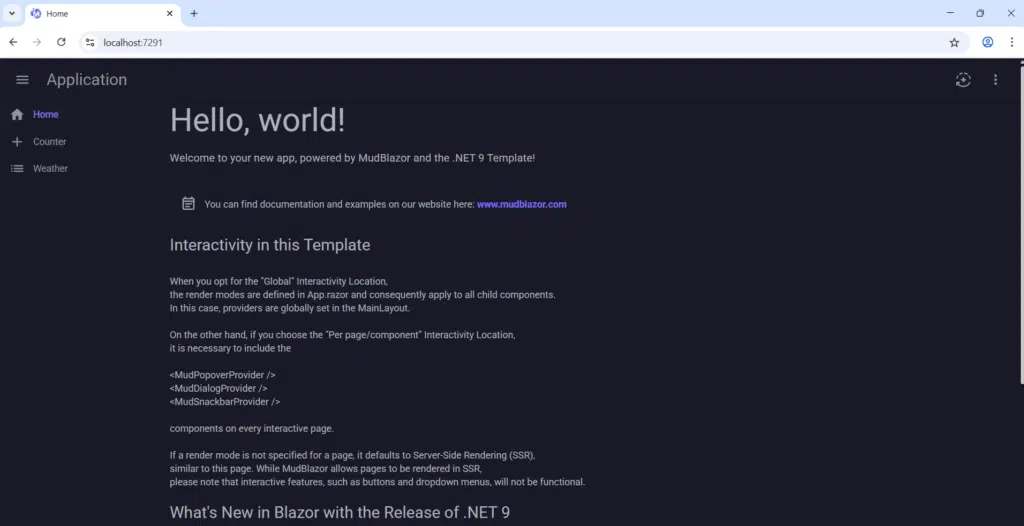
Hands-On Example: Server-Paged Data Grid
- Add new class library project MudBlazorDemo.Shared which will contain shared models for server and client projects and add the following records:
public record OrderDto(int Id, string Customer, decimal Total);
public record PageResult<T>(int Total, IEnumerable<T> Data);
2. Reference the newly added project from both existing projects.
3. Create a simple orders repository contract and in-memory implementation of it:
public interface IOrderRepository
{
    int Count();

    IReadOnlyList<Order> GetPage(int page, int size);
}

public class OrderRepository : IOrderRepository
{
    private readonly List<Order> _orders;

    public OrderRepository()
    {
        var random = new Random();
        var customerNames = new string[] { "Alice", "Bob", "Taylor", "Marcus", "Elena", "Fritz", "Maria" };

        _orders = Enumerable.Range(1, 500).Select(index => new Order
        {
            Id = index,
            Customer = customerNames[random.Next(customerNames.Length)],
            Total = random.Next(50, 500),
            CreatedUtc = DateTimeOffset.UtcNow.AddDays(-random.Next(90))
        }).ToList();
    }

    public int Count() => _orders.Count;

    public IReadOnlyList<Order> GetPage(int page, int size) =>
        _orders.OrderBy(o => o.Id)
             .Skip(page * size)
             .Take(size)
             .ToList();
}
4. Register the service into the DI container:
builder.Services.AddSingleton<IOrderRepository, OrderRepository>();
5. Create a minimal-API endpoint which returns paged orders from server:
app.MapGet("/api/orders", (
        int page,
        int pageSize,
        IOrderRepository repo) =>
{
    var total = repo.Count();
    var orders = repo.GetPage(page, pageSize)
                     .Select(order => new OrderDto(order.Id, order.Customer, order.Total));

    return Results.Ok(new PageResult<OrderDto>(total, orders));
});
6. Add navigation menu item for the orders page:
<MudNavLink Href="orders" Match="NavLinkMatch.Prefix" Icon="@Icons.Material.Filled.List">Orders</MudNavLink>
7. Create a page Pages/Orders.razor in the MudBlazorDemo.Client project:
@page "/orders"
@inject HttpClient HttpClient
@using MudBlazor
@using MudBlazorDemo.Shared

<MudPaper Class="pa-4">
    <MudTable ServerData="LoadPageAsync"
              Hover="true"
              Elevation="1">

        <HeaderContent>
            <MudTh>Id</MudTh>
            <MudTh>Customer</MudTh>
            <MudTh>Total ($)</MudTh>
        </HeaderContent>

        <RowTemplate>
            <MudTd DataLabel="Id">@context.Id</MudTd>
            <MudTd DataLabel="Customer">@context.Customer</MudTd>
            <MudTd DataLabel="Total">
                @context.Total.ToString("F2")
            </MudTd>
        </RowTemplate>

        <PagerContent>
            <MudTablePager />
        </PagerContent>
    </MudTable>

</MudPaper>

@code {
    private async Task<TableData<OrderDto>> LoadPageAsync(TableState tableState, CancellationToken cancellationToken)
    {
        var pagedOrders = await HttpClient.GetFromJsonAsync<PageResult<OrderDto>>(
            $"/api/orders?page={tableState.Page}&pageSize={tableState.PageSize}");

        return new TableData<OrderDto>
        {
            TotalItems = pagedOrders!.Total,
            Items = pagedOrders.Data
        };
    }
}
8. Register HttpClient into dependency injection container: because we use InteractiveAuto render mode and pre-rendering, we need to register it both in the server and client projects:
Server: builder.Services.AddHttpClient();
Client: builder.Services.AddScoped(sp => new HttpClient { BaseAddress = new Uri(builder.HostEnvironment.BaseAddress) });
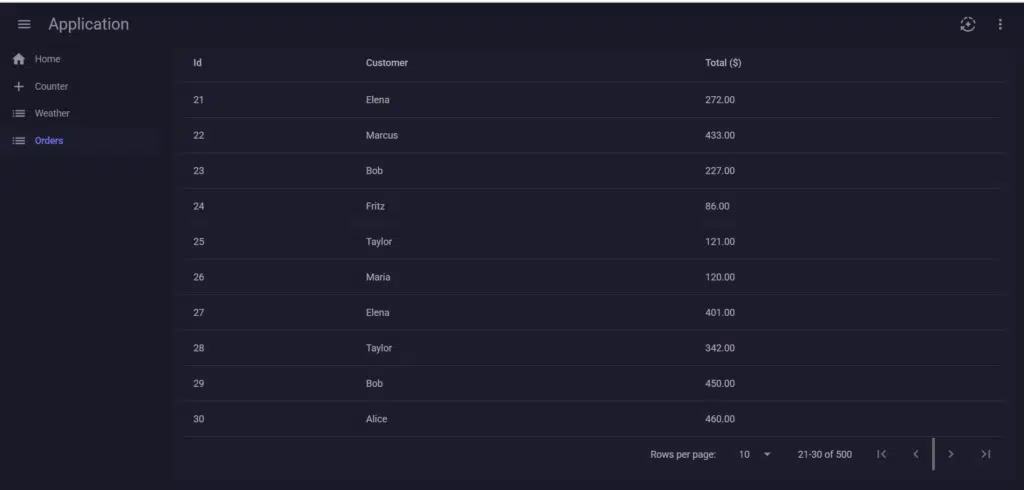
9. Run the application. You should be able to see a table with the paged orders by navigating to the orders page:
Summary
MudBlazor gives Blazor the “batteries-included” UI layer many teams miss when they first leave the JavaScript world. In a green-field .NET 9 project you can:
- Start fast – a single NuGet install, a couple of service registrations, and you’re scaffolding pages with fully-styled Material components.
- Stay in C# – validation, event handling, and data shaping all live in one language and one set of tooling.
- Scale later – today’s in-memory repository can become an EF Core context, an external REST API, or even a gRPC service without touching the table UI.
- Ship lighter – MudBlazor’s no-JS philosophy keeps publish size and cognitive overhead low, while Blazor’s build pipeline handles trimming, compression, and AOT for you.
If you need a modern, opinionated component library that feels native to .NET, MudBlazor is a low-friction, high-leverage choice. Glue it to Blazor, wire up the minimal APIs or repositories that make sense for your domain, and focus your energy on delivering features—not chasing CSS classes or bundler configs.
Ready to take your Blazor projects further? Contact Trailhead to discuss how we can help make your software more robust, interactive, and accessible. Happy coding!