Modern web applications should not only be functional, fast, and attractive, but also accessible. Accessibility (or A11y, an acronym where “11” represents the number of letters between “a” and “y” in the word accessibility) means that users with various physical, cognitive, visual, or motor disabilities can use your product without any problems.
For React developers, this is not just a “nice to have” but crucial component of application quality.
Why Is Accessibility Important?
- The ethical aspect: Everyone has the right to access information and services.
- The legal aspect: In some countries, there are laws and standards (e.g. WCAG, Section 508) that require compliance with accessibility requirements.
- Improving the user experience: Accessibility often improves the UX for all users, including those without special needs.
Initial Steps To Improve A11y in a React App
- Using semantic HTML elements
React lets you use regular HTML tags. Semantic tags such as<header>,<nav>,<main>,<section>,<footer>help screen readers and other assistive technologies better interpret the structure of the page. - Correct use of ARIA attributes
ARIA (Accessible Rich Internet Applications) attributes are used when HTML semantics are not enough. For example, if you’re building a custom button component or modal window, you’ll need to use ARIA attributes to help the assistive technologies.
Here, we userole="dialog"andaria-modal="true"to indicate the semantics of the modal window, andaria-labelledby="modal-title"to specify the title of this dialog. - Focus control
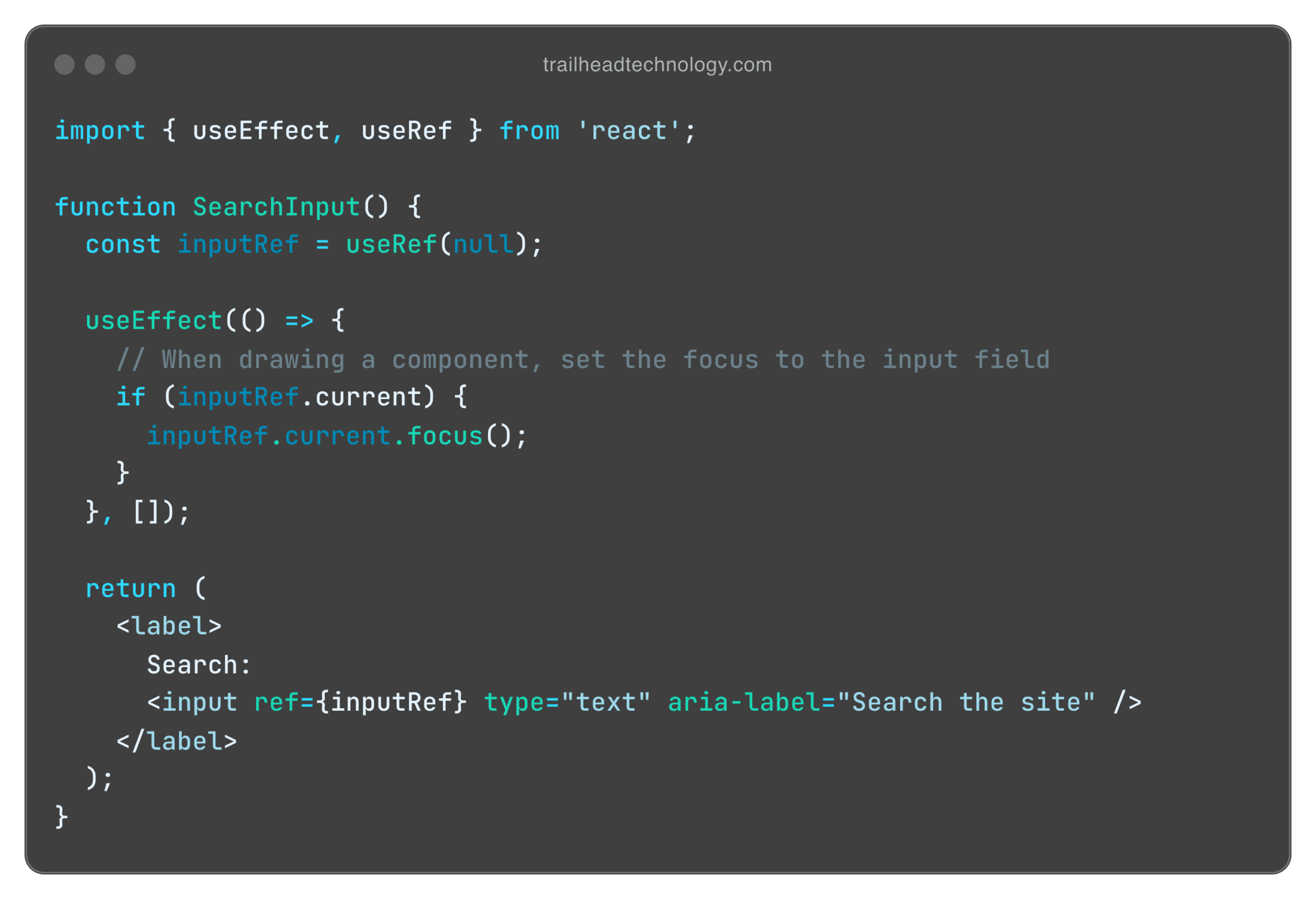
Focus is important for users who navigate the site using a keyboard or special devices. You must ensure logical navigation between elements and, if necessary, switch the focus to important elements (for example, when opening a modal).

Accessibility Testing
In addition to manual testing with a keyboard and screen readers (such as VoiceOver on Mac or NVDA on Windows), there are tools for automatic A11y analysis.
- eslint-plugin-jsx-a11y: An ESLint plugin that checks JSX for common A11y errors.
- axe-core and React Testing Library: Automatically audit accessibility in tests.
- Storybook + Addon-a11y: For interactive testing of components in the development process.
Accessibility is a continuous process. It starts small: semantic HTML, use of ARIA, focus control. Then you can implement automated testing tools, increase your knowledge of international standards, and WCAG guidelines.
By adding A11y to your React app, you make your product more inclusive, improve the user experience, and lay the foundation for a wider and more loyal audience. Accessible web is quality web.
Conclusion
Accessibility is essential for creating inclusive, user-friendly React applications that comply with standards like WCAG and Section 508 while improving the experience for all users.
At Trailhead, we bring deep expertise in accessibility to help you create applications that are easy to use by everyone. Let us guide you in transforming your app into a high-quality, inclusive product—contact Trailhead today!