Implementing Dark & Light Modes in Xamarin.Forms Apps

With modern mobile devices supporting both dark & light modes, users expect applications to respect those settings.
Since Xamarin.Forms version 4.6.0.967, we can easily add support to our apps using the AppThemeBinding markup extension. In the blog, I will show you the most interesting parts needed to implement this functionality with a sample application.
You can access a fully functional example in this public GitHub repository.
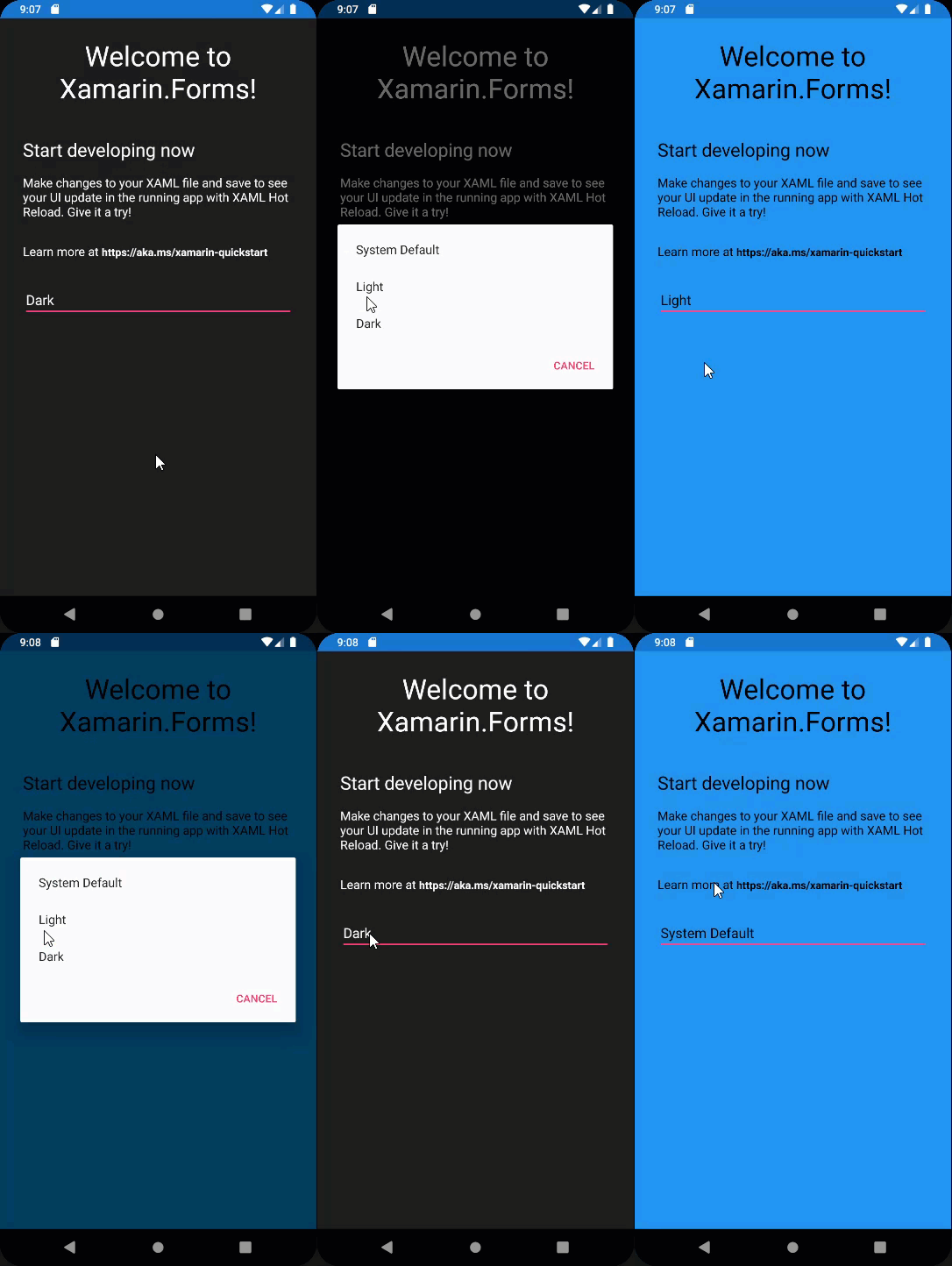
Dark & Light sample app demo
The first step is to define styles using AppThemeBinding, and in there we can define the colors to use for dark & light modes.
Define Styles
And then we can use the styles in our XAML files.
Xaml files using styles
The only remaining task is to set the value of the property App.Current.UserAppTheme. The type for that property is the enum OSAppTheme. OSAppTheme.Unspecified uses the system default configuration and OSAppTheme.Light or OSAppTheme.Dark will force the use of the selected theme.
You can set the value of UserAppTheme at run-time and the setting will work immediately.
In the code sample, we are using Xamarin.Essentials.Preferences to save the latest selected value and then reload the configuration when the application starts.

public App()
{
   InitializeComponent();
   var theme = Preferences.Get("OSAppTheme", Enum.GetName(typeof(OSAppTheme), OSAppTheme.Unspecified));
   App.Current.UserAppTheme = (OSAppTheme)Enum.Parse(typeof(OSAppTheme), theme);
   MainPage = new MainPage();
}

And that’s all! I hope you learn how easy is to use Dark & Light modes in your Xamarin.Forms app, if you want more information you can access the official docs here.

Picture of Rodrigo Juarez

Rodrigo Juarez

Rodrigo Juarez has over 25 years of experience in software development, specializing in Microsoft technologies. His mission is to solve complex problems for his clients, with a focus on results. He achieves this by applying the appropriate technology and using best practices to ensure the delivery of high-quality solutions. Over the past 6 years, Rodrigo has honed his skills in back-end development and in creating mobile applications, initially using Xamarin and now transitioning to .NET MAUI. He is a Lead Mobile Developer at Trailhead Technology Partners and the co-author, along with Jesse Liberty, of the book ".NET MAUI for C# Developers"

Free Consultation

Sign up for a FREE consultation with one of Trailhead's experts.

"*" indicates required fields

This field is for validation purposes and should be left unchanged.

Related Blog Posts

We hope you’ve found this to be helpful and are walking away with some new, useful insights. If you want to learn more, here are a couple of related articles that others also usually find to be interesting:

Our Gear Is Packed and We're Excited to Explore With You

Ready to come with us? 

Together, we can map your company’s software journey and start down the right trails. If you’re set to take the first step, simply fill out our contact form. We’ll be in touch quickly – and you’ll have a partner who is ready to help your company take the next step on its software journey. 

We can’t wait to hear from you! 

Main Contact

This field is for validation purposes and should be left unchanged.

Together, we can map your company’s tech journey and start down the trails. If you’re set to take the first step, simply fill out the form below. We’ll be in touch – and you’ll have a partner who cares about you and your company. 

We can’t wait to hear from you! 

Thank you for reaching out.

You’ll be getting an email from our team shortly. If you need immediate assistance, please call (616) 371-1037.