
If you’re not an expert in it, cybersecurity can seem daunting, but it doesn’t have to be. Whether you’re a developer or a QA engineer, this guide will help you understand the basics you need to test your applications for better security.
In this blog, we’ll dive into technical best practices that you can apply right away to your work. Keep in mind that these steps are just a starting point. You can build on these for the rest of your cybersecurity journey.
Verify Caching
Some web pages should NEVER be cached. (e.g: login/admin pages). So you can check whether the header has the following attribute to make sure that your most sensitive pages don’t cache any secret or personal data:
Cache-Control: no-cache
Also, you should verify that the header on such a page has the following attribute when you click Back (e.g. when user logout and then clicks Back):
Cache-Control: must-revalidate
Verify Cookie Security
The cookie attributes HTTPOnly and Secure are important for protecting your website’s cookies. You can check these attributes in your browser’s Developer Tools under the Storage (or Application) tab, looking at the ‘HttpOnly’ and ‘Secure’ columns. Ideally, each should be set to TRUE (or checked).
- HTTP Only: This attribute prevents cookies from being accessed by client-side scripts. Essentially, it limits cookie transmission to client-to-server communication only.
- Secure: This attribute ensures that cookies are only sent over HTTPS, meaning they’re transmitted securely.
Note: If your website interacts with a third-party service or needs to be read directly by your application’s front-end JavaScript code, the HTTPOnly attribute may need to be FALSE for proper functionality. In the case of third-party access, ensure that you either use an additional SessionId for the third party or add that third party to your whitelist.
Verify Brute Force Security
A brute force test checks whether your system is vulnerable to brute force attacks, where an attacker attempts to guess user credentials by making multiple invalid login attempts. How you handle this test depends on your requirements. For example, a bank should enforce much stricter rules, while a simple website might not need them at all.
Try testing for brute force vulnerabilities by attempting to log in with invalid credentials 5-20 times. As you do this, look for any signs that the system is triggering security measures. Examples include temporary account lockouts, increasing delays, CAPTCHA challenges, or warning messages. Also ensure that it doesn’t leak too much information, like whether an account exists or if it was the password that was incorrect.
Ideally, you can prevent brute force attempts by implementing two-factor authentication (2FA) in your application.
Verify Roles Permissions
You should also ensure that your application properly enforces role-based access controls. If your system supports multiple user roles, verify that each role can only access its designated information and features. For example, regular users should neither see admin data in the UI nor access it directly via the API. Try logging in as a less-priviledged user and manually enter a URL route they shouldn’t be able to access. Use their session token in a tool like Postman to try to access APIs they shouldn’t have access to.
Similarly, one user should not be able to access another user’s personal information. If you see the user’s ID being sent with API requests, try sending a different users’s ID to see if this leaks private information.
Additionally, you can check things like whether a deleted admin account still has the ability to access, modify, or delete application data, as this could pose a significant security risk.
Verify Safe Credentials
To verify credential safety you must cover everything from app configuration to UI, database, and logs.
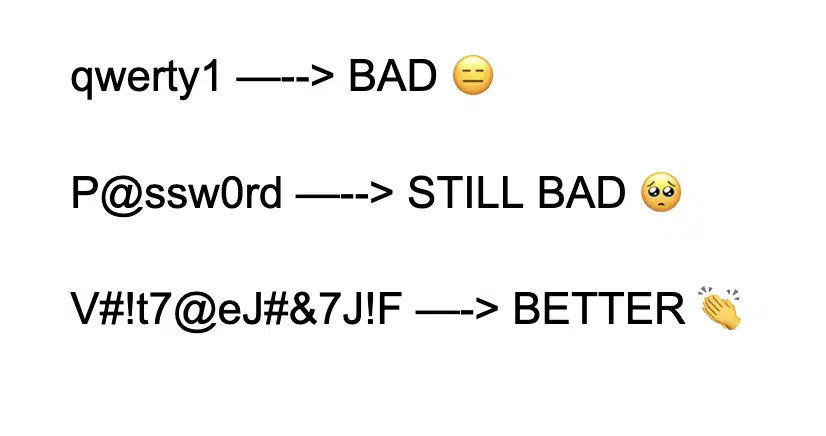
- Verify that the system enforces the creation of strong passwords.
- Look at the source code repository for configuration files, and ensure that there are no secrets stored in them.
- Ensure that passwords are stored securely in the database using a one-way hashing algorithm—at least SHA-256 or SHA-3 hashing with both a salt and pepper.
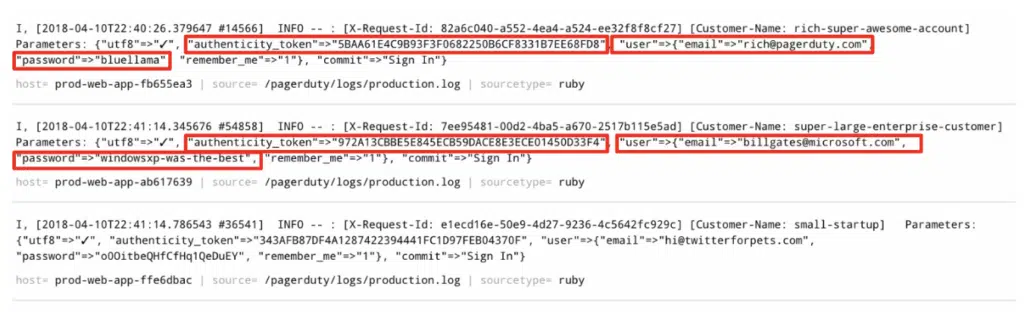
- Confirm that credentials and other sensitive data (such as authentication tokens, bank account details, or file paths) are not displayed in plain text in the logs.
- Make sure that the password change process is secure and that recovery options include proper identity verification steps.
- Check that strong passwords are required not only in production but also in staging and development environments, for both the web application and internal resources like the database.
Verify Injection Security
Injections includes a range of potential vulnerabilities, including XSS (cross-site scripting), HTML, SQL and OS command injections. Today, with the rise of the use of AI in software, we should check for prompt injections as well.
For comprehensive scanning, I highly recommend using vulnerability scanners (e.g ZAP, BurpSuite), since an input field is not the only place where a malicious payload can be applied. However, it’s also feasible to manually check for some of the most common issues, such as reflected XSS or HTML.
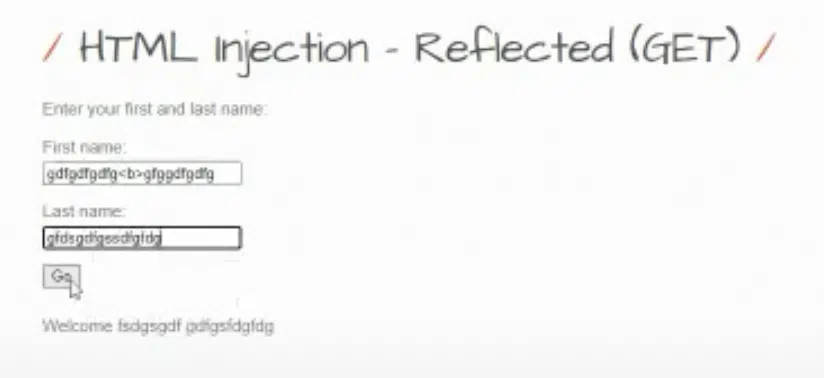
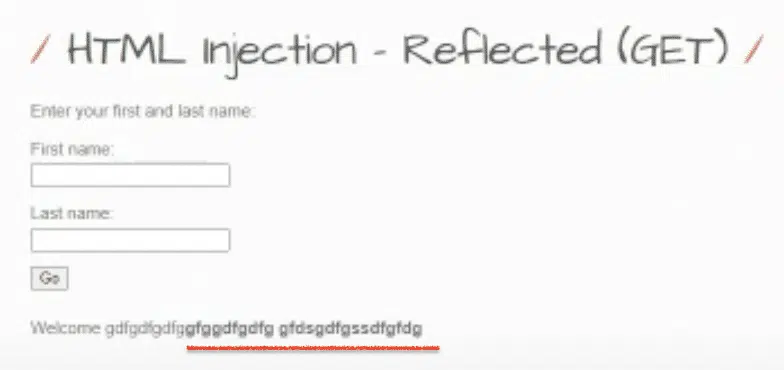
For instance, you can perform basic testing by inserting a <b> tag into input fields to see if the text becomes bold upon saving. This simple test can help identify HTML injection vulnerabilities. To discover XSS payloads that are specifically tailored to your case or browser, resources like the Cheat Sheet by PortSwigger can be incredibly useful.
Conclusion
Though cybersecurity might seem overwhelming at first, I’ve walked you through several small, practical steps you can implement to make a big difference in your application’s security. Remember, these measures are just the starting point of your security journey. As threats evolve, so should your approach—regular reviews and updates to your security practices are essential.
Keep learning, testing, and adapting, and you’ll be well on your way to building a more secure software!


