
Amazon AWS is rather slow when it comes to supporting new .NET versions on its Lambda feature. This is where running your functions from a docker image comes in handy, allowing you to run any version of .NET.
In this short blog article, I will demonstrate how to deploy AWS Lambda from an Elastic Container Registry (ECR) using Terraform. I will focus on the DevOps aspects and assume that you already have the function that you want to deploy.
Push Docker Image to AWS ECR
Let’s start with creating a simple Dockerfile.
FROM public.ecr.aws/lambda/dotnet:7
WORKDIR /var/task
COPY "bin/net7.0" .
I am assuming here that you use .NET 7 because, at the time of writing this, Lambda currently supports .NET 6, so you wouldn’t have to use the ECR approach if you’re targeting an earlier version of .NET. Now, let’s configure the AWS Command Line Interface (CLI) if you haven’t already done so.
aws configureNow you need to retrieve an authentication token and authenticate your Docker client to your ECR registry (you need to provide the region and the repository uri).
aws ecr get-login-password --region <region> | docker login --username AWS --password-stdin <repo_uri>.dkr.ecr.<region>.amazonaws.comYou are now ready to build the image (change the image tag to one that fits your needs):
docker build -t th-aws-workers:1.2.0 .Next, let’s now create the tag and push the image to the repo:
docker tag th-aws-workers:1.2.0 <repo_uri>.dkr.ecr.<region>.amazonaws.com/threg:1.2.0
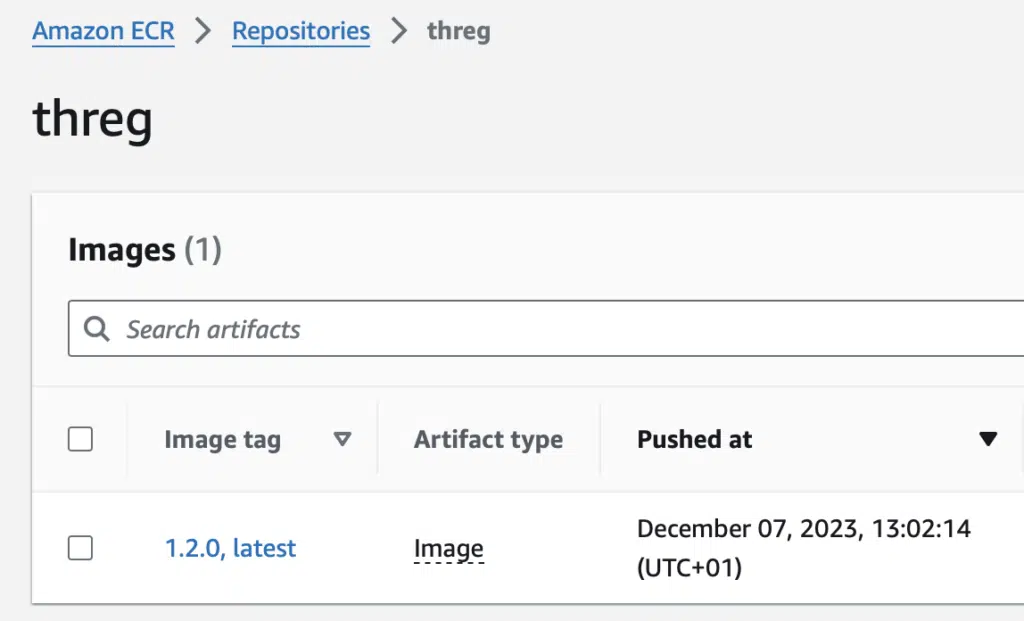
docker push 666097061481.dkr.ecr.us-east-2.amazonaws.com/threg:1.2.0
You might want to navigate to AWS console and check if the image is there.
Terraform
In the previous step, we created and published an image to a repository.
An aws_lambda_function resource has an image_uri parameter where you provide, well … your image URI. It couldn’t be simpler to do:
data "aws_ecr_repository" "trailhead-ecr-repo" {
  name = "threg"
}

resource "aws_lambda_function" "api_function" {
  function_name = "th-api-framework-lambda-${var.environment}"
  timeout       = 5 # seconds
  image_uri     = "${data.aws_ecr_repository.trailhead-ecr-repo.repository_url}:1.2.0"
  package_type  = "Image"

  role = aws_iam_role.api_function_role.arn

  environment {
    variables = {
      ENVIRONMENT = var.environment
    }
  }
}
You will also want to define aws_iam_role along with aws_iam_role_policy_attachment. Permission AWSLambdaBasicExecutionRole is needed if you want to be able to log to a CloudWatch (aws lambda runtime logs AND/OR function logs).
data "aws_iam_policy_document" "policy-document" {
  statement {
    actions = ["sts:AssumeRole"]

    principals {
      type        = "Service"
      identifiers = ["lambda.amazonaws.com"]
    }
  }
}

resource "aws_iam_role" "api_function_role" {
  name = "lambda_iam_role"

  assume_role_policy = data.aws_iam_policy_document.policy-document.json
}

resource "aws_iam_role_policy_attachment" "basic" {
  policy_arn = "arn:aws:iam::aws:policy/service-role/AWSLambdaBasicExecutionRole"
  role       = aws_iam_role.api_function_role.name
}
Conclusion
In this brief guide, you’ve learned how to leverage Docker, ECR, and Terraform to deploy as-of-yet unsupported versions of .NET to AWS Lambda, allowing you to use the latest .NET version in your Lambda applications.


